Outlook–SharePoint Integration for Email and Document Management
Save emails and attachments to SharePoint and Teams, search, share, and manage your Microsoft 365 files from an Outlook plugin or a dedicated desktop app.
Works across Outlook environments
New harmon.ie works in Outlook for Windows (new Outlook), Outlook for Windows (classic), Outlook on the Web, and Outlook for Mac.
Simple interface empowers business users to interact with Microsoft 365, from within the familiar Outlook environment or a familiar, file-explorer desktop app.
Easy to adopt with minimal training.
Ensure Compliance
Automatically map email headers to SharePoint columns — turning unstructured email into a searchable, filterable grid for fast retrieval and eDiscovery.
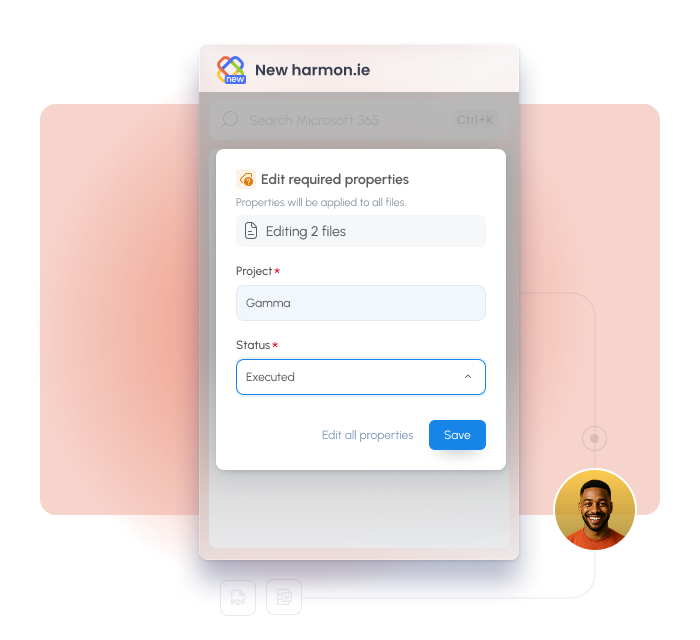
Edit file details and apply retention labels, directly from Outlook.
Secure, Client-Side Data Protection
Your data stays private, client-side, and within your tenant.
Lower IT Overhead
Fast and secure deployment through Microsoft 365 Admin Center, automatic updates, central configuration, and premium support.
New harmon.ie Editions
New harmon.ie Outlook add-in
Best for Outlook-SharePoint integration.
Works in Outlook for Windows (New Outlook), Outlook for Windows (classic), Outlook for Mac, and Outlook for the Web
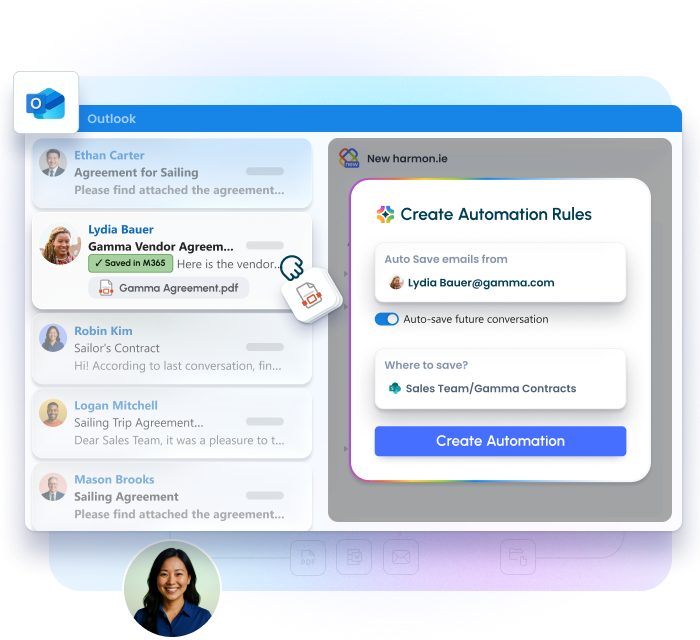
Save emails and attachments directly to Microsoft 365, keeping them with related project documents for better organization and findability.
Email headers are automatically saved as metadata columns — sender, recipient, subject, date — creating a searchable, filterable record without any manual input.
Remove manual steps from recurring email workflows.
Save conversation: opt a conversation into email automation, and every future reply is saved to the same location automatically
Save emails from sender: when harmon.ie notices you repeatedly saving emails from the same sender to the same place, it suggests a rule to capture them all
COMING SOON: Automated filing based on user behavior, rules, and AI integration
Manage Microsoft 365 content from Outlook or desktop
Access SharePoint, Teams, and OneDrive content directly from Outlook or from the new harmon.ie desktop app – No need to open SharePoint or Teams separately.
Preview, open, create, rename, and delete files and folders—directly from harmon.ie. Work seamlessly across SharePoint, Teams, and OneDrive.
Easily manage metadata to keep content organized and compliant.
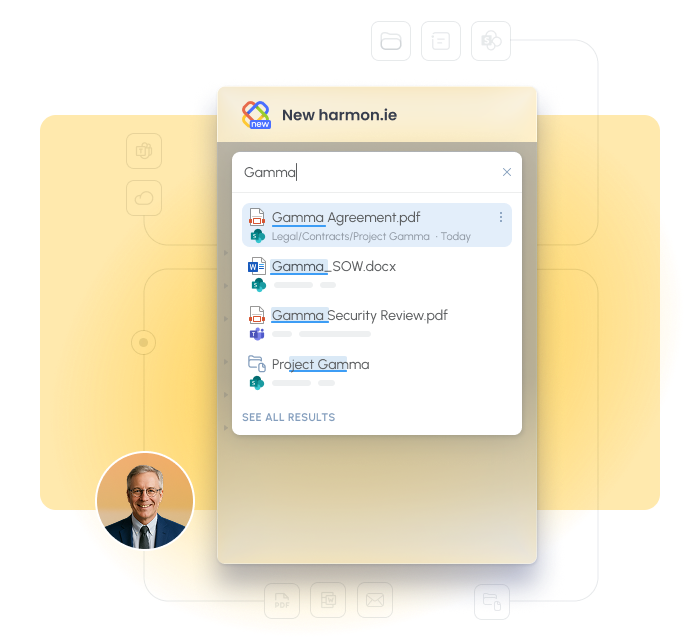
Find what you need faster with harmon.ie’s robust search tools—search across Microsoft 365 or in specific SharePoint, Teams or OneDrive location easily. Use filters, views, favorites, and recent.
No more time-consuming searches across different file systems. Everything in one place.
New harmon.ie supports organizations moving to New Outlook, while also serving teams that want a simpler way to manage Microsoft 365 content from Outlook and desktop.
harmon.ie is designed from the ground up with your security and privacy in mind.
Your emails and documents never leave your tenant. harmon.ie is a client app connecting directly to your Microsoft 365 tenant (no harmon.ie servers, no back-end components). Your emails and documents are protected by your Microsoft policies and security environment.
Microsoft 365 consent. New harmon.ie is using the OAuth 2.0 authentication to securely connect with Microsoft 365 on behalf of the app users – harmon.ie uses delegated app permissions allowing users to view and edit only the Microsoft 365 files and locations they are authorized to see.
Certifications ensure harmon.ie meets the highest standards. New harmon.ie is ISO 27001 certified and has completed the Microsoft 365 App Compliance Program.
Review our IT Approval Kit for architecture and permissions details.
“harmon.ie is taking the pain out of SharePoint use, and that’s a vital step in facilitating project work and ensuring that documents and correspondence are available for long-term use.”
“harmon.ie enables our team to collaborate more efficiently on the documents, and with a high degree of confidence they have all relevant correspondence at their fingertips.”
Federic Guinet
IT Director of the Federal Banking Federation
CSIRO
“Our personnel can literally just stay in their Outlook pane to transfer emails and documents to SharePoint, as well as access all information stored in their inbox or SharePoint.”
Service Manager at the Commonwealth Scientific and Industrial Research Organization (CSIRO)
“By requiring us to complete mandatory metadata, harmon.ie makes it easier to find important documents and emails when we need them to support our goal of making sure the hospital can provide the best possible care for our community”
Debbie Garrick
Operations Coordinator at Women's and Children's Hospital Foundation
“harmon.ie has significantly boosted our teams’ adoption of SharePoint, which has improved how we share project information which is so vital in an industry like construction”
“We saw that a harmon.ie and SharePoint solution covers 95% or almost 100% of our needs… it’s much more cost efficient than a specialized third-party solution.”
“Our users no longer avoid using SharePoint. Instead, they’re now saying they love to use the platform, with the help of harmon.ie.”
Laurence Arterton
Head of Client Support & ICT Services at UNISON
RSPB
“Using harmon.ie is helping us better manage our information, especially the really important stuff. The documents we need to keep, like our records and any corporate information, are easier to access and more secure.”
Jenny Sinclair
Lead Information Manager at the Royal Society for the Protection of Birds (RSPB)
“For certain functionality, such as uploading of multiple documents or other operations on multiple documents, we found the harmon.ie interface nicer than SharePoint’s, and more user friendly.”
Section manager at the European Aviation Safety Agency (EASA)
“People are not going to change. If you want them to use SharePoint, you have to make it easy for them to capture, classify, and find emails and documents. harmon.ie is the key.”
Mario Gaulin
Director of Enterprise Information Solutions at Agriculture and Agri-Food Canada (AAFC)
“When the evaluation period ran out, we had employees saying, ‘Give me this product now.’ Because it was such a great product for them, and it made their lives there easier.”
Phillip Worrell
ICT Engineer and Business Analyst at the Global Fund
“Every single tour we do features harmon.ie, because it does make working with documents and SharePoint so much easier… Once people see harmon.ie, they want it.”
“harmon.ie enables our employees to do information management without knowing they are doing information management… And that makes all the difference.”
Alexandre Singh
Executive Director Business Solutions and Information Management at Employment and Social Development Canada (ESDC)
“Our users are very happy. Using harmon.ie from within Outlook is smooth, intuitive, and most importantly, it does not require a training program. harmon.ie focuses on the needs of the business user.”
Deborah Beury
Director of Collaboration and Specific Application at Vinci Energies
ESDC
✔️ “OMG! Best day of my life – getting harmon.ie!!!”
✔️ “So much easier to be able to search all repositories in one simple search”
✔️ “Drag and Drop is the BEST function of harmon.ie by FAR.”
✔️ “harmon.ie is awesome, the “Recent” list will make your day easier!!!”
Business users at Employment and Social Development Canada (ESDC)
“harmon.ie’s solution works very well and the fact that your metadata is directly written from your email just by dragging and dropping into SharePoint is very important for our users, as it saves time and ensures higher levels of adoption for the platform.”
Daniel Stuch
Bosch Senior Project Leader Application Development and Rollout at Bosch