
Email Compliance Software for Microsoft 365
Meet your regulatory obligations from Outlook — without relying on employees to remember
Email compliance software for Microsoft 365 helps organizations meet regulatory obligations by ensuring business emails are saved to governed storage, not left in personal inboxes where compliance policies cannot reach them.
harmon.ie moves emails from Outlook into SharePoint and Teams with automatic metadata, putting them under Purview governance from the moment they are saved.


Email compliance fails where it matters most — in the inbox
- Regulators don't accept "it might be in someone's inbox". Under SOX, HIPAA, FINRA, and GDPR, you need to produce specific records on demand. Emails buried in personal folders aren't retrievable under audit conditions.
- Personal inboxes are not governed. Microsoft Purview retention labels apply to Exchange mailboxes — but emails that never get filed to SharePoint or Teams are invisible to everyone outside the original recipient. They're stored, not organized.
- Manual compliance breaks at scale. Asking 500 employees to correctly classify and save emails every day is not a compliance strategy. It's a hope.
- Legal holds come without warning. When litigation or regulatory investigation begins, you need to freeze relevant records immediately. If those records are scattered across mailboxes, you have a problem.
harmon.ie makes compliance something people actually do
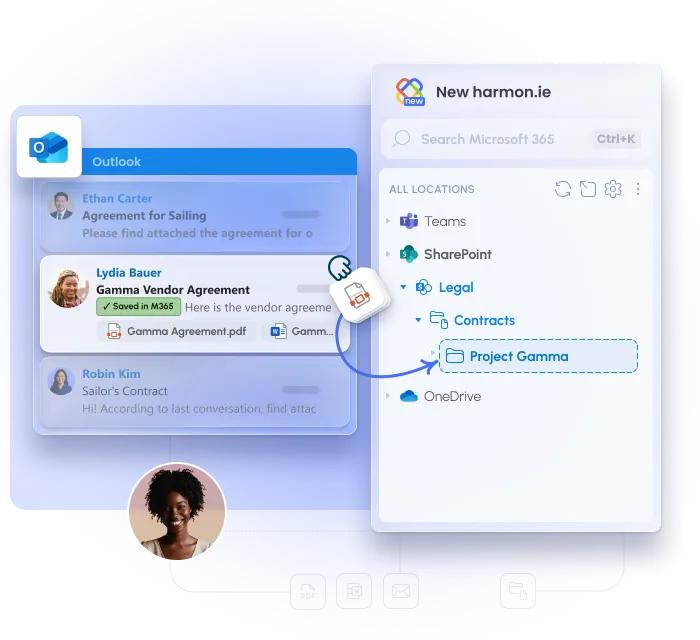
harmon.ie adds a sidebar to Outlook that lets users save emails to SharePoint or Teams in a single drag-and-drop. When they save, harmon.ie automatically writes the email headers — To, From, Subject, Date — into SharePoint metadata columns, transforming unstructured email into a searchable, filterable grid — without any manual input.
Those emails now live in Microsoft 365 locations where your retention labels, sensitivity labels, DLP policies, and Purview governance controls apply automatically. There is no separate compliance layer to configure. You are enforcing your retention policy through the infrastructure you already have.
"Emails in Exchange cannot be assumed records. If an email contains something important, you need to get it out of the inbox and put it in SharePoint."
Vice President and Chief Legal Counsel, Network Communications Manufacturer
How harmon.ie enforces email compliance
File emails directly to governed SharePoint and Teams locations
- Drag-and-drop from inbox to the target SharePoint library or Teams channel
- Save & Send captures outgoing emails at the moment of sending — before they can fall through the cracks
- Choose what to capture: save the email, all attachments, or specific attachments — so the full compliance record is preserved, not just the email body
Automate filing to eliminate human error
- Save conversation: opt a conversation into email automation, and every new message in the thread is saved to the same location automatically
- Save Outlook folder: save an entire Outlook folder to SharePoint or Teams in one action, then turn on automatic saving so new emails that land there stay covered without anyone remembering to file them
- Save emails from sender: every new email from a chosen sender is saved to the same SharePoint or Teams location automatically, whatever the subject
Automatic metadata and email tagging
- harmon.ie writes To, From, Subject, Date and attachment status into SharePoint metadata columns automatically
- Required metadata prompts can be configured — users are asked to fill in mandatory fields when saving, ensuring records meet compliance standards
- Saved emails are tagged in Outlook — filing status is visible directly in the inbox so nothing slips through
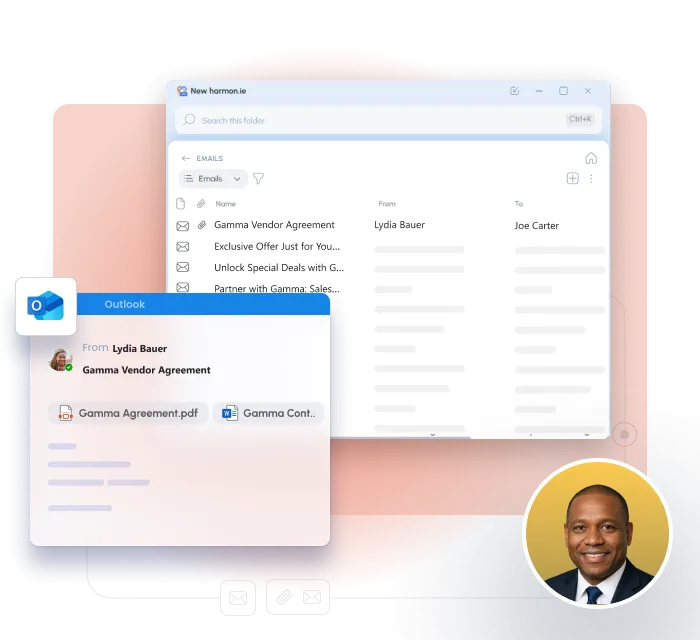
- An Email view is created in the library - a grid showing all filed emails sorted by sender, recipient, date, or subject
Search compliance records across Microsoft 365
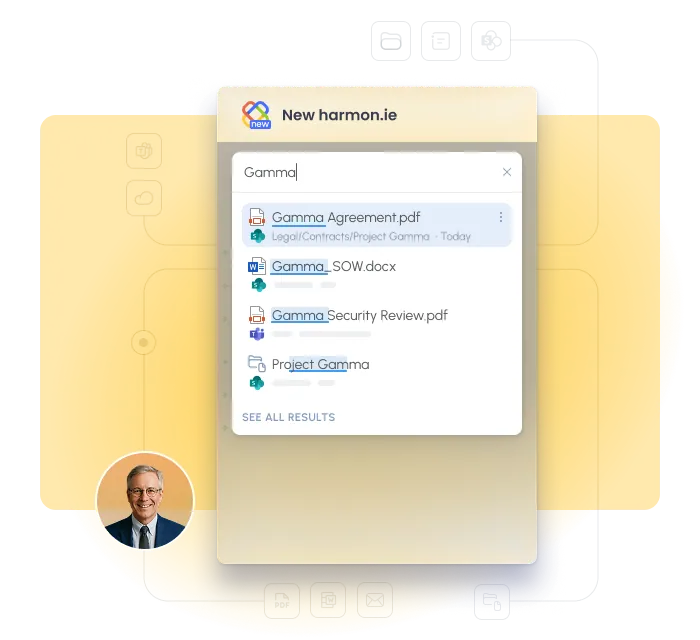
- Search across SharePoint sites, Teams channels, and OneDrive folders simultaneously or within a specific location
- Filter results by app (SharePoint, Teams, OneDrive), file type (email, Word, Excel, PDF) to narrow results for audit or eDiscovery requests
- Within any library, the Email view lets compliance teams sort and filter the full compliance record without IT involvement
- Copilot-powered search: ask in plain language and get the compliance record you need, ranked by relevance across SharePoint, Teams, and OneDrive.
Centrally deploy and manage compliance settings
- Centralized deployment via Microsoft 365 admin center or Microsoft Intune
- Pre-configure app options centrally — email header mapping, naming formats for saved emails, and metadata requirements applied across every user without individual setup
harmon.ie complements your Microsoft Purview governance framework
- Emails saved to SharePoint inherit the retention labels and deletion schedules configured in Microsoft Purview for that library
- Saved emails in SharePoint and Teams are covered by eDiscovery and Content Search — available to legal and compliance teams when needed
- No data leaves Microsoft 365 — harmon.ie is a client-side application with no server or external storage, so your sensitive correspondence is never exposed outside your secure tenant
Why compliance teams choose harmon.ie for Microsoft 365
Adoption is the #1 compliance failure — harmon.ie solves it
Defensible, structured records — not just stored emails
harmon.ie turns Outlook from a data silo into a governed, compliant asset.
Emails saved through harmon.ie aren’t just archived — they’re structured. Metadata is captured automatically, records are searchable by field, and the Email view provides an auditable grid. When regulators or legal counsel ask for specific records, the answer is a filter, not a search party.
Your Microsoft 365 governance policies apply from day one
Trusted in regulated industries at enterprise scale
harmon.ie manages email compliance at some of the world’s largest enterprises, with individual deployments reaching 360,000+ users.
Government, manufacturing, financial services, legal, and construction organizations across the US and Europe rely on harmon.ie for defensible email compliance.
ISO 27001 certified — zero data access
Covers every version of Outlook during migration
Email Compliance Software — FAQ
What is email compliance software?
How does harmon.ie help with HIPAA, SOX, or FINRA email compliance?
Does harmon.ie work with Microsoft Purview?
Can harmon.ie support legal holds and eDiscovery?
Can New harmon.ie save emails automatically?
How does automatic metadata help with compliance?
How do we ensure employees actually file emails?
What's the difference between email retention and email archiving?
Does harmon.ie work with SharePoint on-premises?
How is harmon.ie deployed for compliance use cases?
How much does harmon.ie cost?

Industry
Location
Number of employees
Case Study


Industry
Location
Number of employees
Case Study


Industry
Location
Number of employees
Case Study


Industry
Location
Number of employees
Case Study

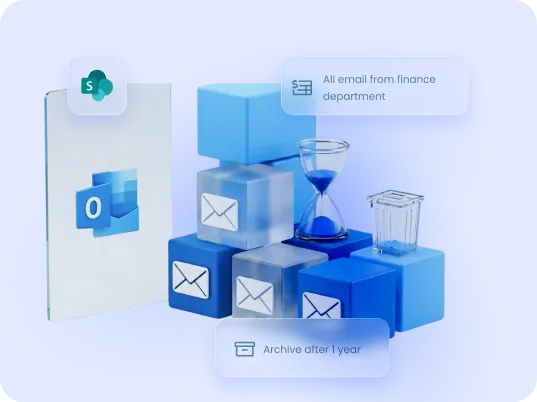


Make email compliance automatic
Try New harmon.ie free for 21 days. No credit card.