
 harmon.ie Classic
 Saving email headers to SharePoint and Teams columns
When saving email messages to SharePoint or Teams, harmon.ie Classic can save the email headers (From, To, CC, Subject, Date, etc.) in SharePoint or Teams columns, and create an Email view in the location. When emails are properly classified they can be easily found later.
Automatic saving of email header in columns
At the first time emails are saved to a Teams location, harmon.ie suggests creating an Email view in that location. If accepted, from now on, the following email headers will be saved in corresponding email columns:
- Name (email file name)
- HasAttachments (does the email contain attachments)
- To
- From
- Date
- Conversation Topic (the original email subject of the conversation)
- Subject
An Email view is created and can be displayed within SharePoint, Teams, and harmon.ie.
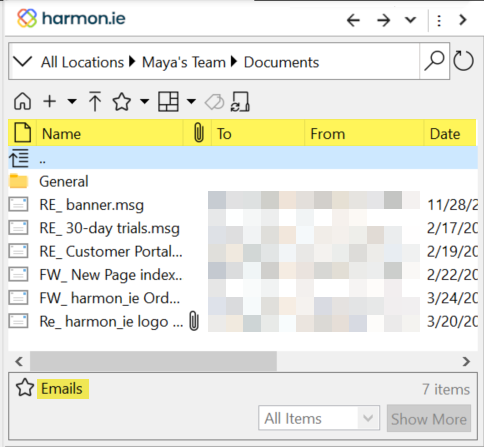
To extend this mapping to SharePoint locations, or disable the mapping, set the create Email view with metadata columns option.
- This feature does not require administration interference.
- For more information, please read How to Save Email Headers in SharePoint and Teams Columns Using harmon.ie Classic.
Configure customized saving of email headers in columns
You can configure harmon.ie to save even more email headers in SharePoint or Teams locations. To enable this mapping, the SharePoint document library needs to be set up with email specific columns. To learn how to do this, read the knowledge base article How to Save Email Headers in SharePoint and Teams Columns Using harmon.ie Classic.
The mapping between email headers and SharePoint fields is configurable from the mapping table in harmon.ie Options.
